
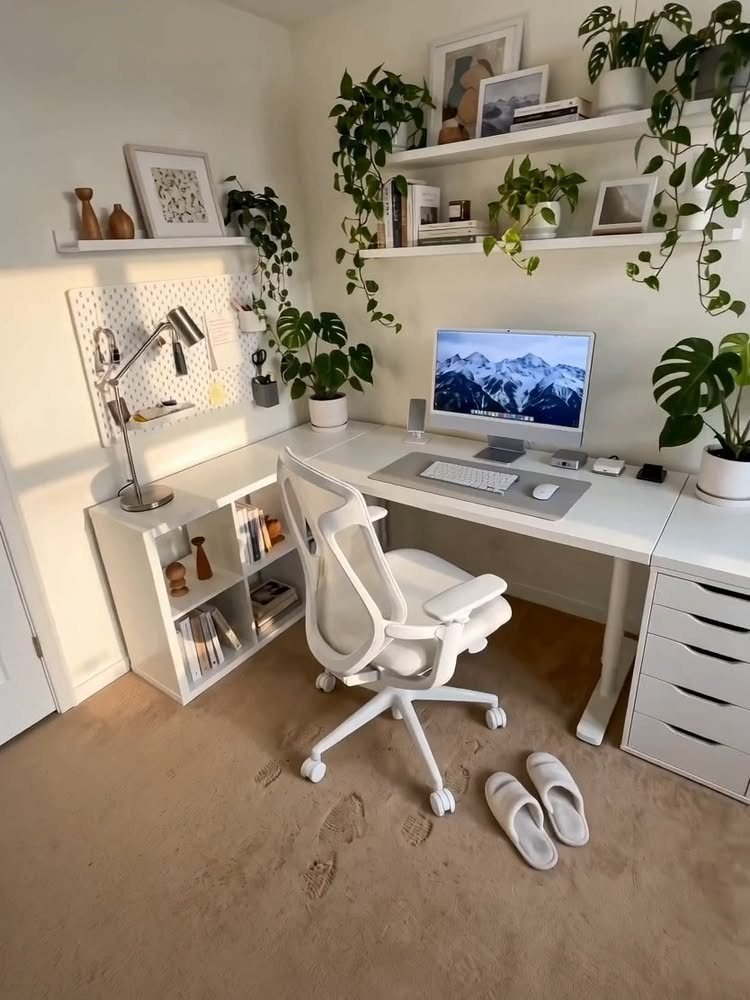
These desk organization ideas run from drawer organizers to a full pegboard wall system, so the right pick depends on whether you own the wall behind your desk or need everything to roll away by dinner.
1. Label Everything
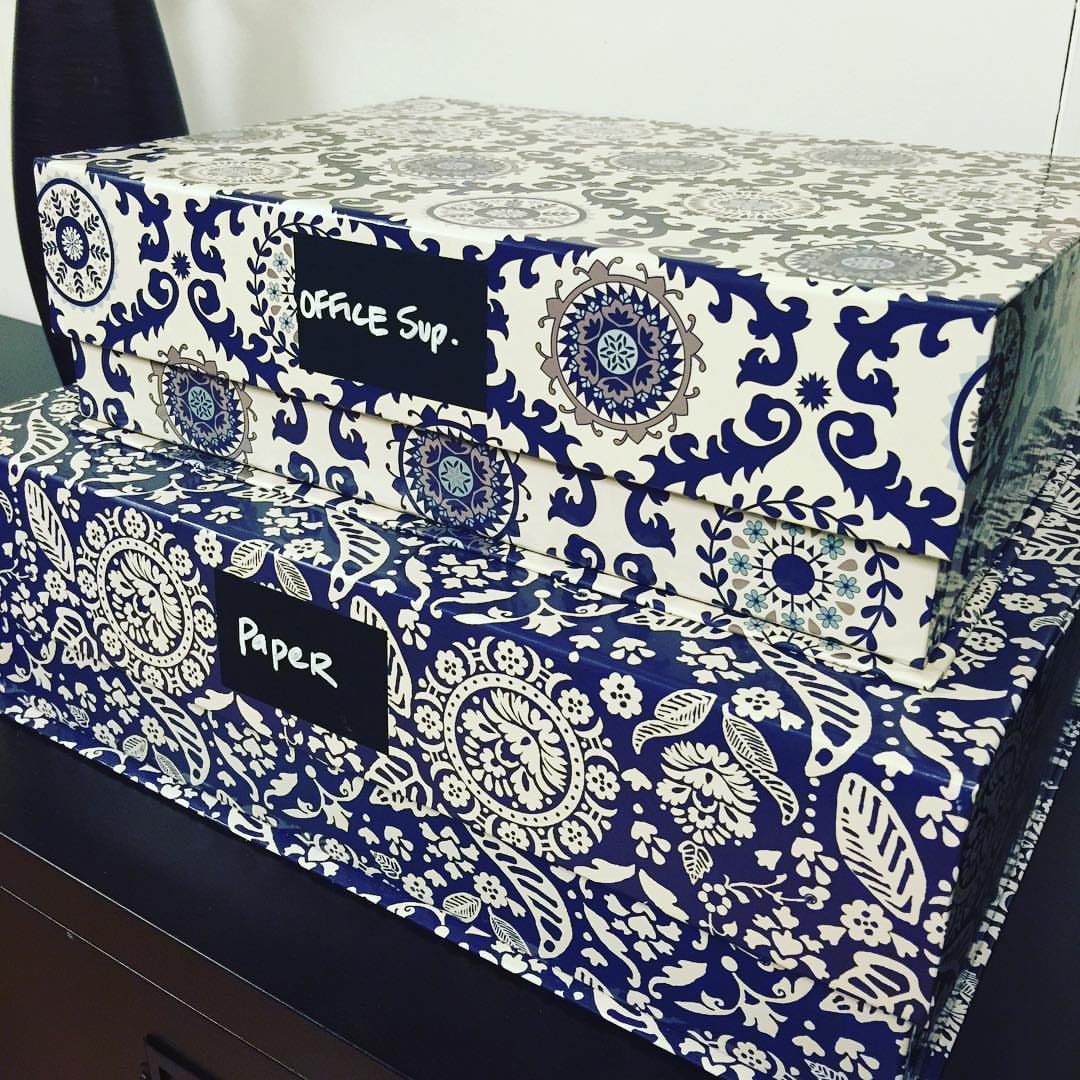
Patterned boxes with handwritten labels keep the guesswork out of finding spare paper or that one stapler you need. A label maker pays for itself in the time you save not opening three wrong boxes.
Tuck the label where you can read it from standing height; white gel pen on black tape shows up better than most printed labels under desk lamps.
For files you handle daily, a sticky note works fine until the system settles.
This suits anyone sharing a desk or storing seasonal items, where "I will remember" has already failed twice.
2. Keep a Clear Workspace
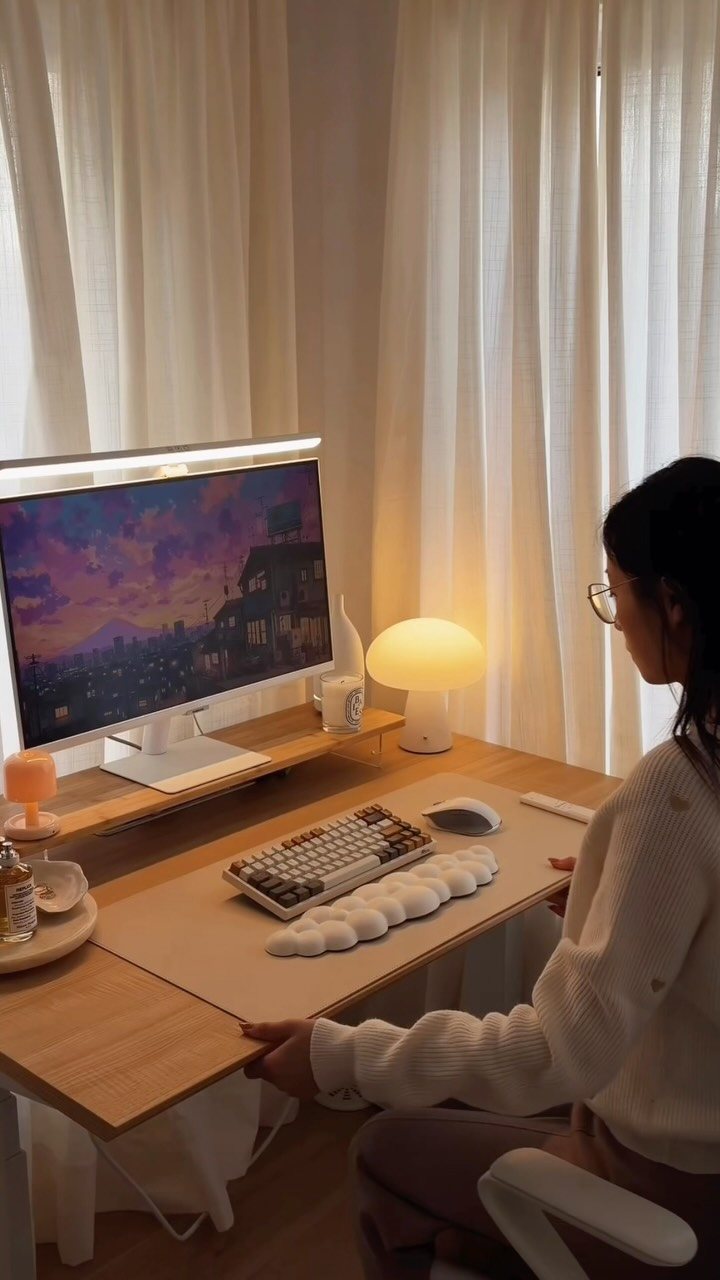
A desk that holds only what the current task needs leaves room to spread out when the spreadsheet turns into sketching.
The maker of this setup notes that hiding cables alone makes the whole surface feel more finished; I would add that a cable tray under the back edge is cheap and installs in minutes.
The clear zone should fit a notebook and your forearms without shifting the keyboard. If you are working with a laptop, a riser buys back that space underneath for a slim tray of active papers.
This matters most for people who switch between computer work and handwriting or drafting, where shuffling gear mid-task breaks focus.
3. Use Drawer Organizers
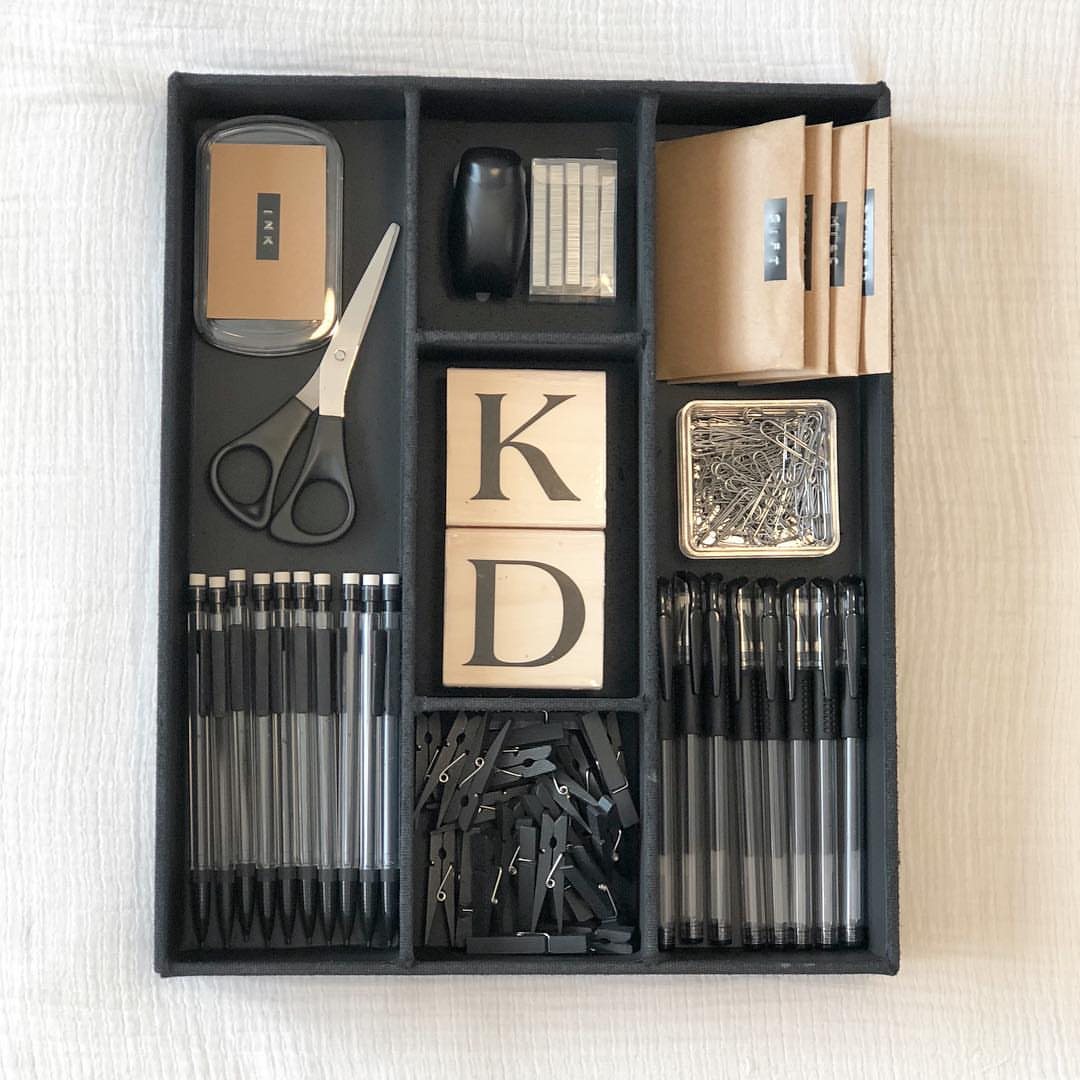
A kitchen utensil tray repurposed for pens, clips, and the spare ink pad keeps the junk drawer from becoming a archaeology dig.
Look for one that sits flat without sliding; the rubberized bases made for silverware drawers work even better in office drawers that get yanked open.
Compartments sized for spoons handle markers and scissors neatly. For deeper drawers, stackable trays add a second layer without losing the dividers below.
This is the fastest win on the list: easy to find at discount stores, no tools, and the sorting happens in the time it takes to empty the drawer.
4. Vertical Storage Systems
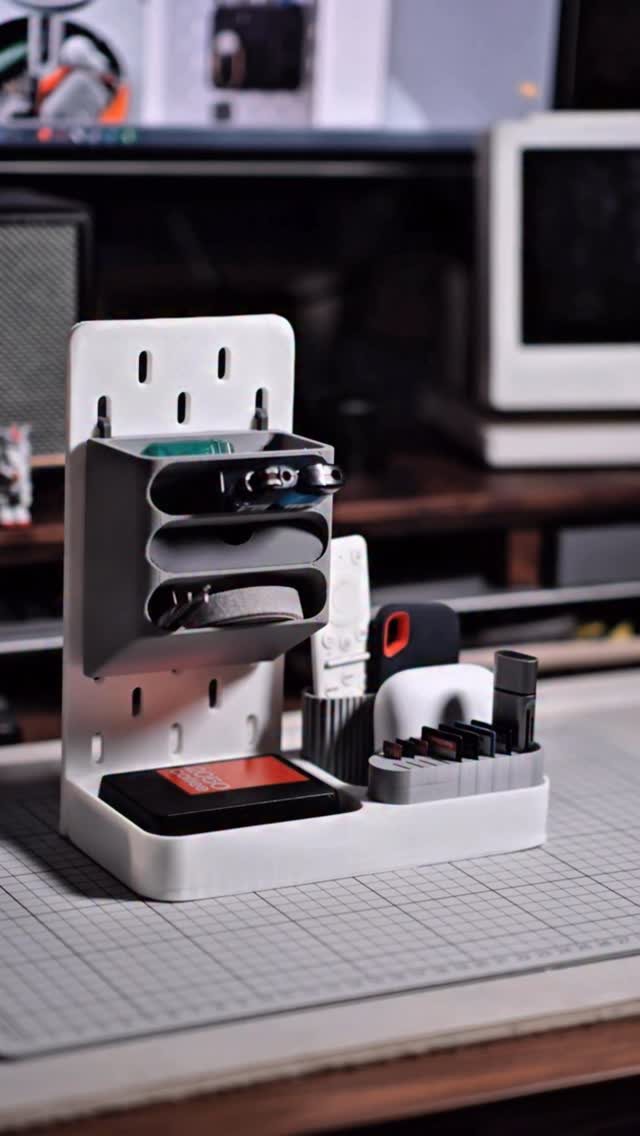
A pegboard backplate with small bins turns the wall behind your monitor into storage that does not eat the surface you write on.
Tiered risers do the same for papers and supplies that would otherwise pile flat and bury each other.
Wall-mounted units need only a drill and two screws; desktop versions like this one stand on their own and move when you rearrange. Keep the vertical zone narrow enough that reaching does not strain your shoulder.
Best for desks pushed against walls where horizontal expansion is not an option, or for anyone who stacks and forgets what is underneath.
5. Use Portable Storage
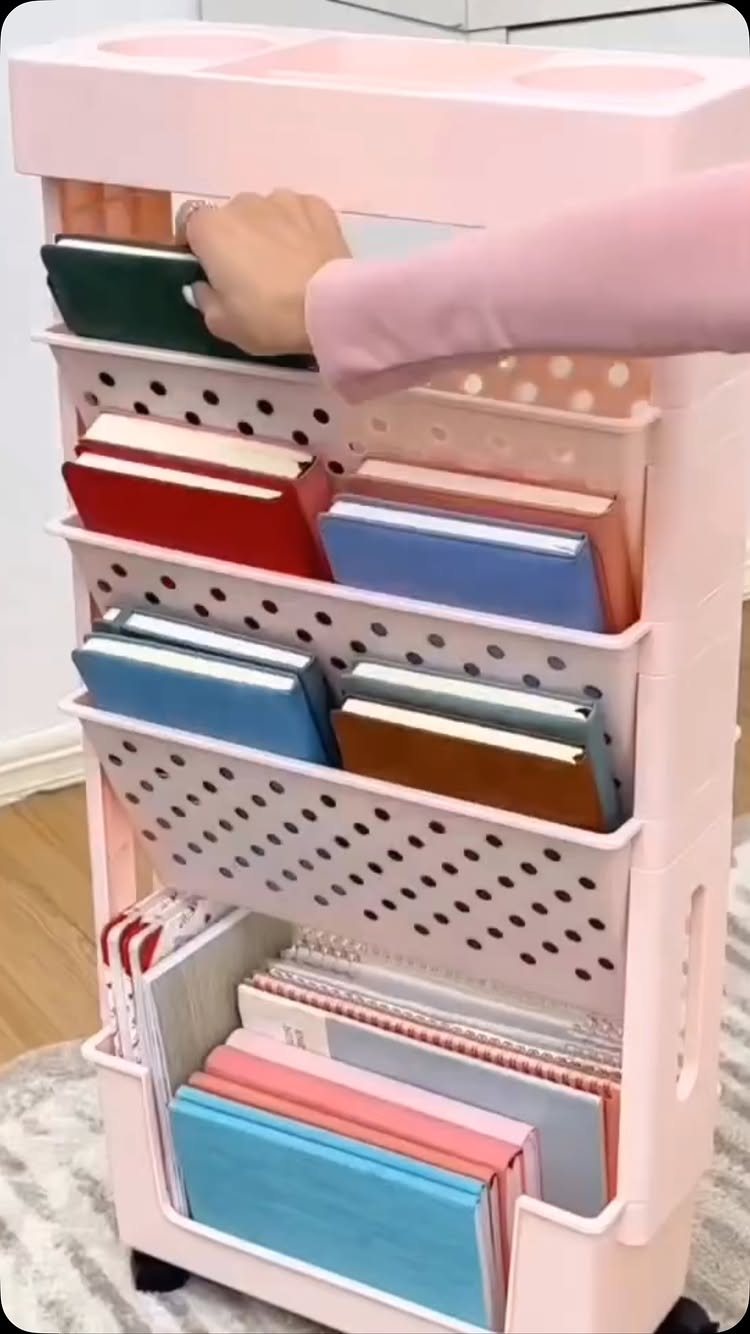
A rolling cart parked beside the desk holds the projects that do not fit in the drawer and do not deserve permanent surface space.
File boxes or accordion folders on the middle shelf keep active documents contained; the top holds the cup of pens you reach for hourly.
The wheels matter more than you would think: roll it to the couch for evening sorting, then tuck it against the wall before calls. Most kitchen carts or craft storage units cost less if you watch thrift stores.
This fits renters and anyone whose desk doubles as dining table, where nothing can stay put overnight.
6. Minimize Desktop Clutter
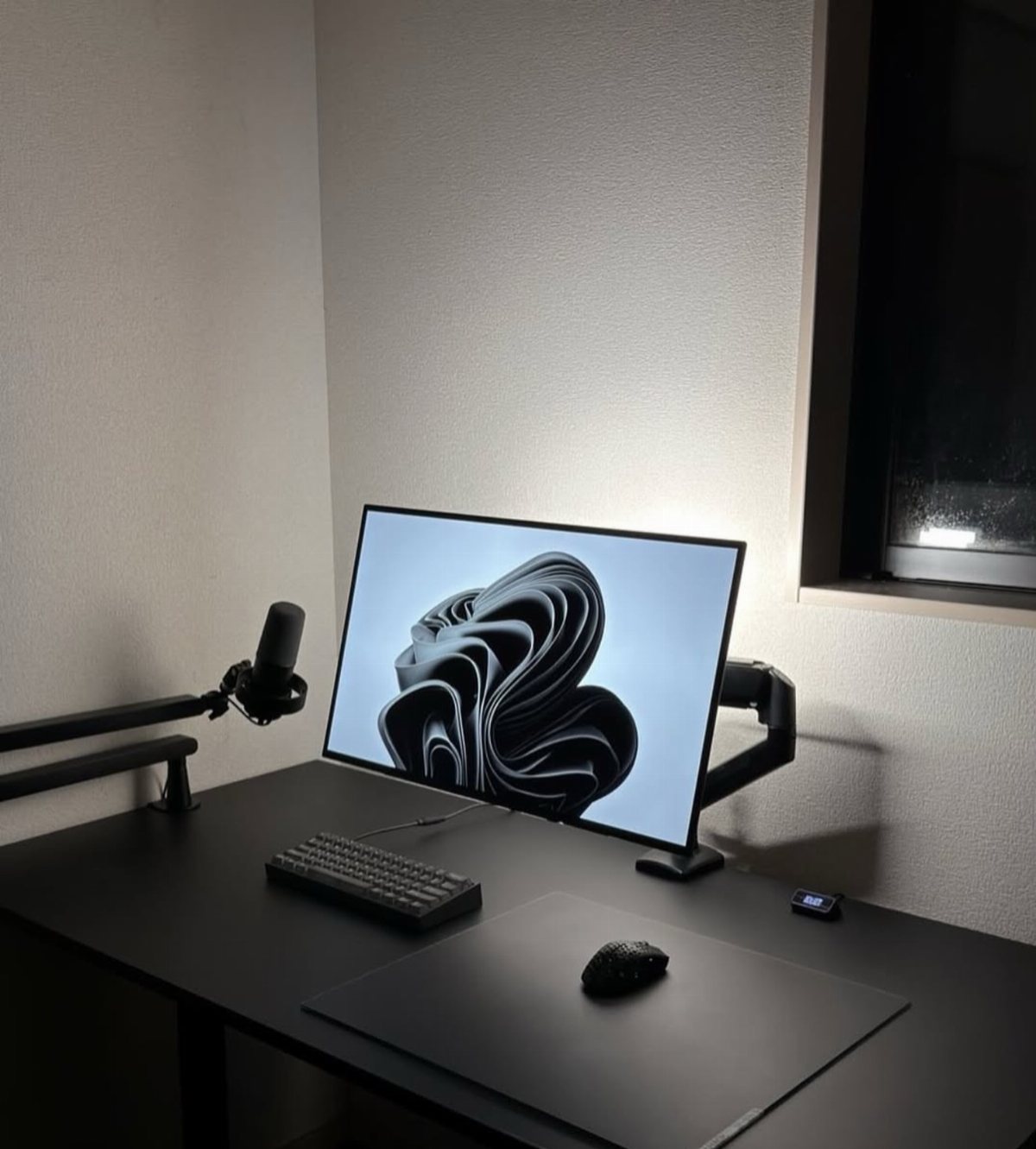
Three things belong on the surface: the screen, input tools, and one tray for whatever is active today. Everything else lives in the drawer, on the cart, or in the trash.
A pen cup is not mandatory; if you reach for one color only, that pen lives beside the keyboard and the rest stay stored.
The maker of this black setup keeps even the microphone on an arm that suspends it from the edge, reclaiming the corner.
This approach trades quick access for visual calm. It suits people whose work requires sustained focus more than frequent tool changes, and those who clean by shoving everything aside and losing it.
7. Use a Rolling Cart
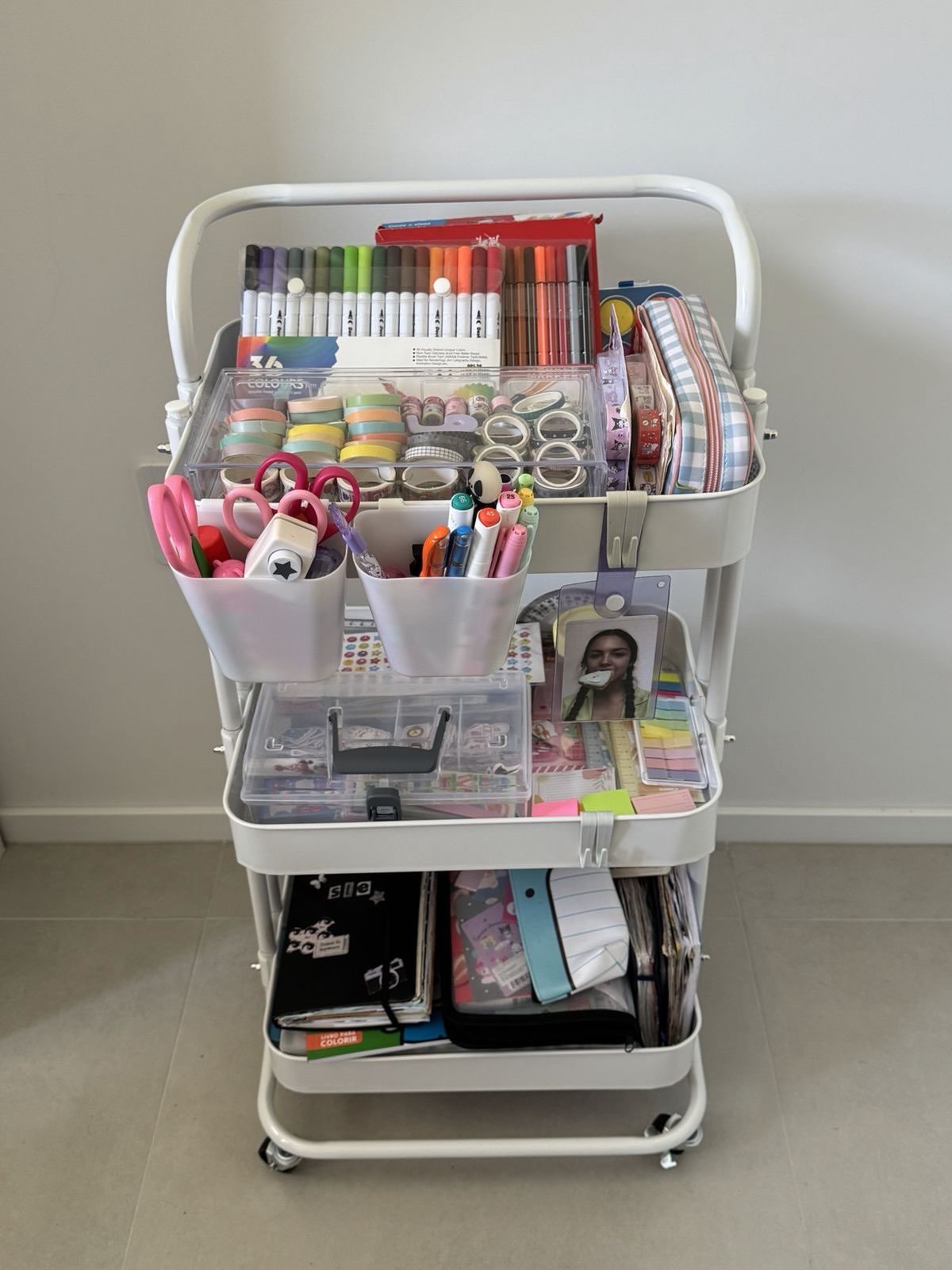
A rolling cart parked beside your desk turns dead wall space into three shelves of grab-and-go storage. Mine holds the overflow: backup pens, a label maker, project folders I touch weekly but not daily.
Metal or coated wire versions are cheap enough to replace and wipe clean when a marker cap slips. If your desk is in a shared living area, a cart hides your work clutter in plain sight.
8. Incorporate Personal Touches
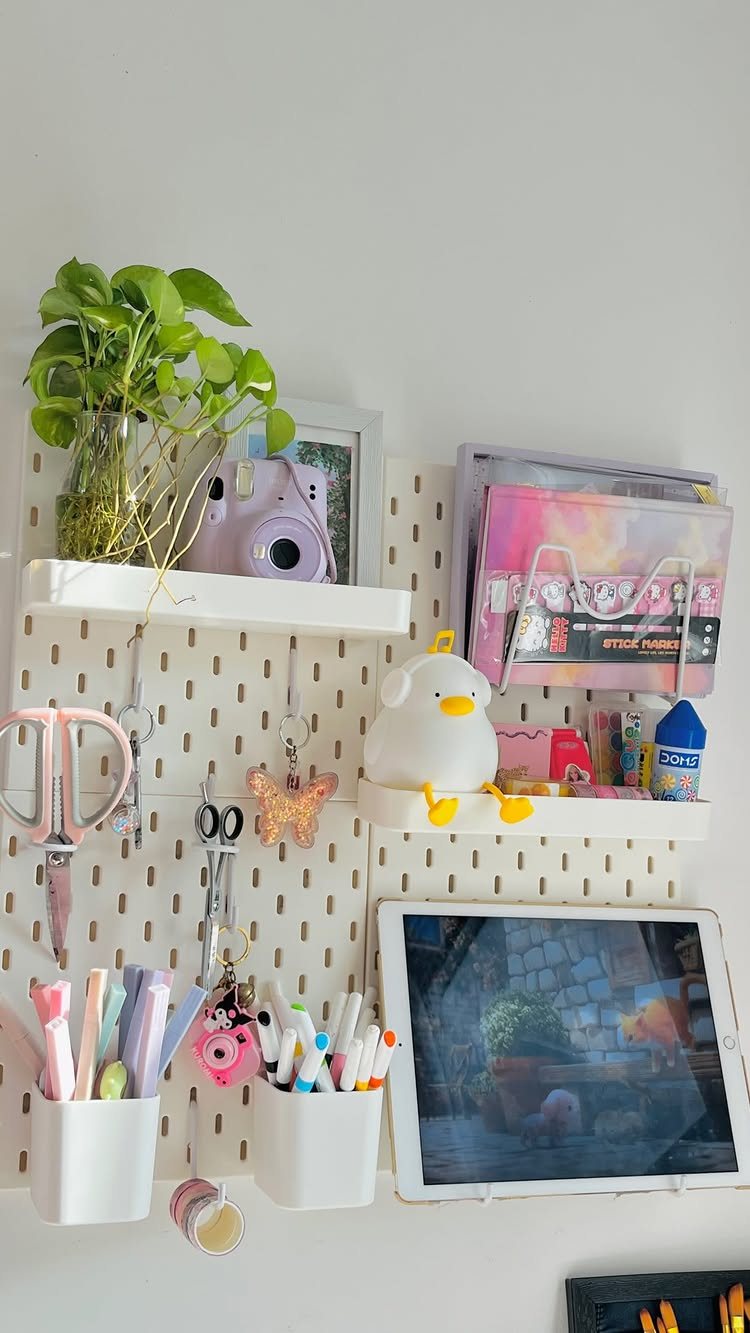
The pegboard above your monitor can hold more than tools.
A small plant, a photo that makes you laugh, a weird little lamp you found at a flea market: these turn a rental desk from temporary to yours without drilling holes you can’t patch.
I keep one shelf for rotating objects, the rest for function. Keep only what fits in that zone.
One sentimental item beats several competing for attention; more starts looking like clutter again. Pick the thing that actually made your week better, not the thing you think should inspire you.
9. Create a Filing System
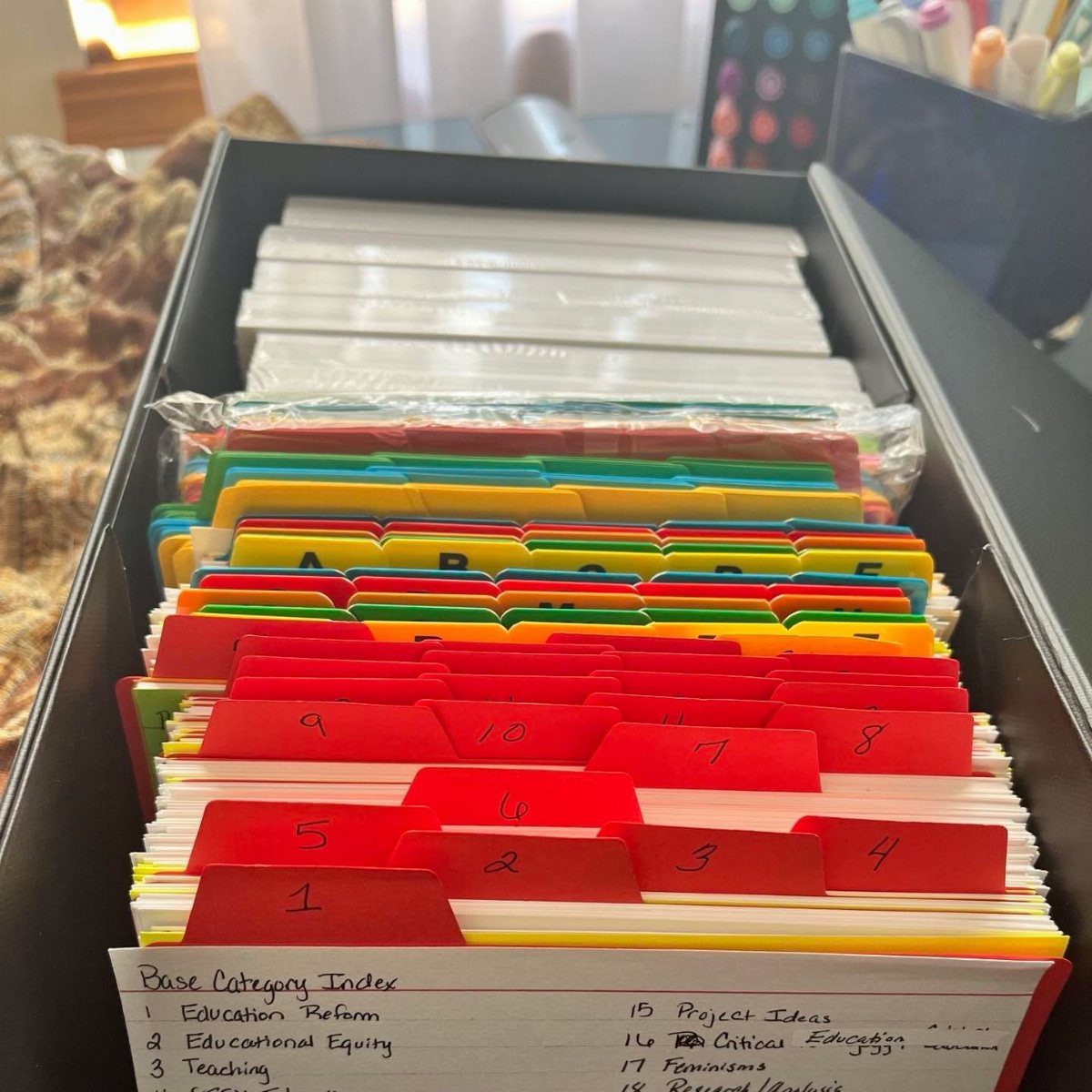
Paper still arrives, even now. A filing system only works if you commit to one method and stop second-guessing it.
I use hanging folders with handwritten labels for active projects and a single accordion file for household records I touch twice a year.
The inbox-outbox pair on my desk surface handles everything in between: new mail lands in one tray, processed items move to the other, and I file from there on Friday afternoons.
Digital folders mirror the physical names so I never hunt two systems. Start with broad categories, not tiny ones; splitting too fine kills the habit faster than any mess.
10. Use a Lazy Susan
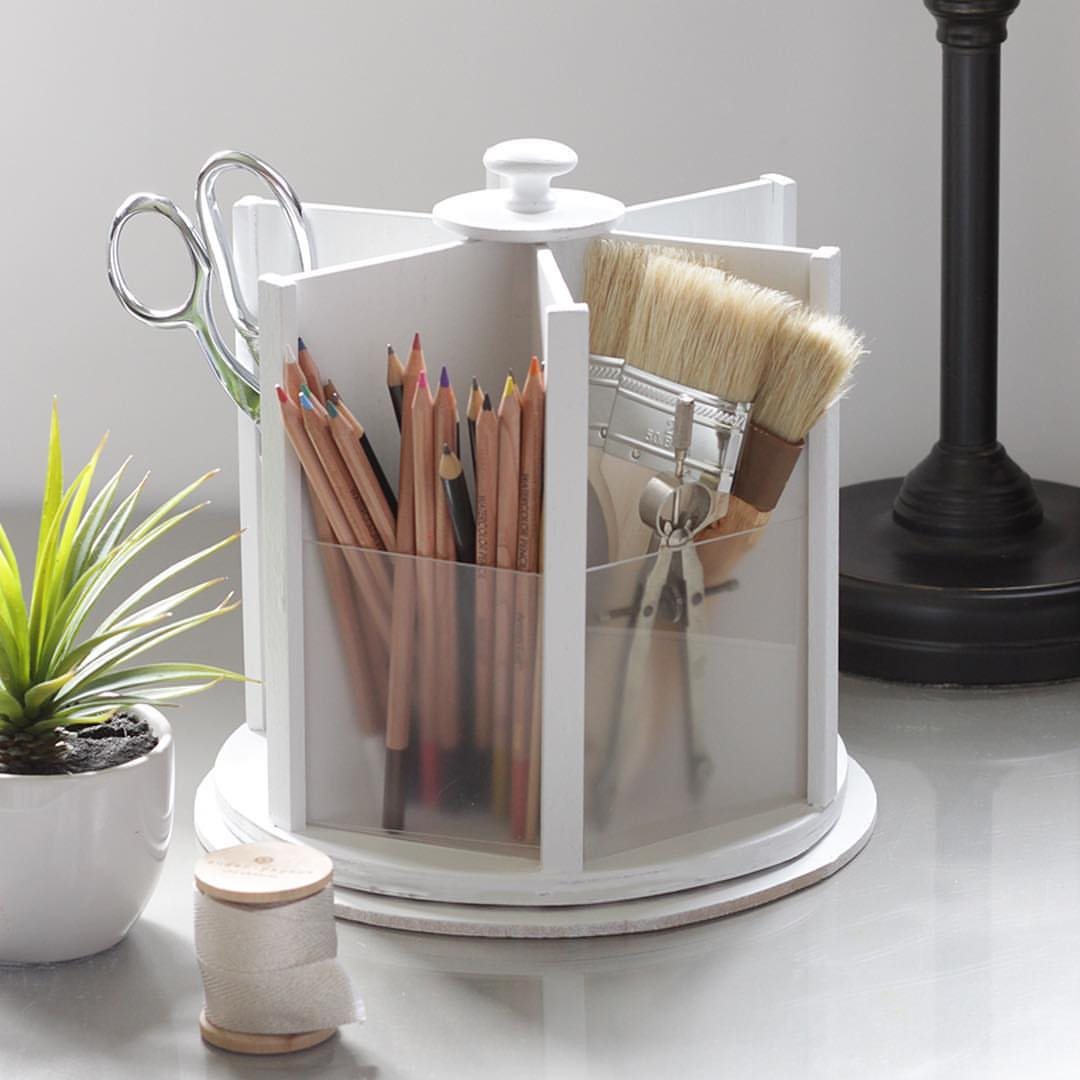
A lazy Susan on your desktop keeps the tools you reach for constantly from colonizing every flat inch. I spin mine to grab scissors, then the tape, then the one pen that still writes, all without standing up or digging.
The rotating base means you can store deep: three rows of colored pencils in a footprint that would hold one if laid flat. Mine is white plastic, nothing special, barely wider than a dinner plate.
Wooden versions cost more and look better if your desk faces a room instead of a wall. Either way, the round shape forces you to edit; square organizers invite stacking to the sky.
11. Create a Charging Station
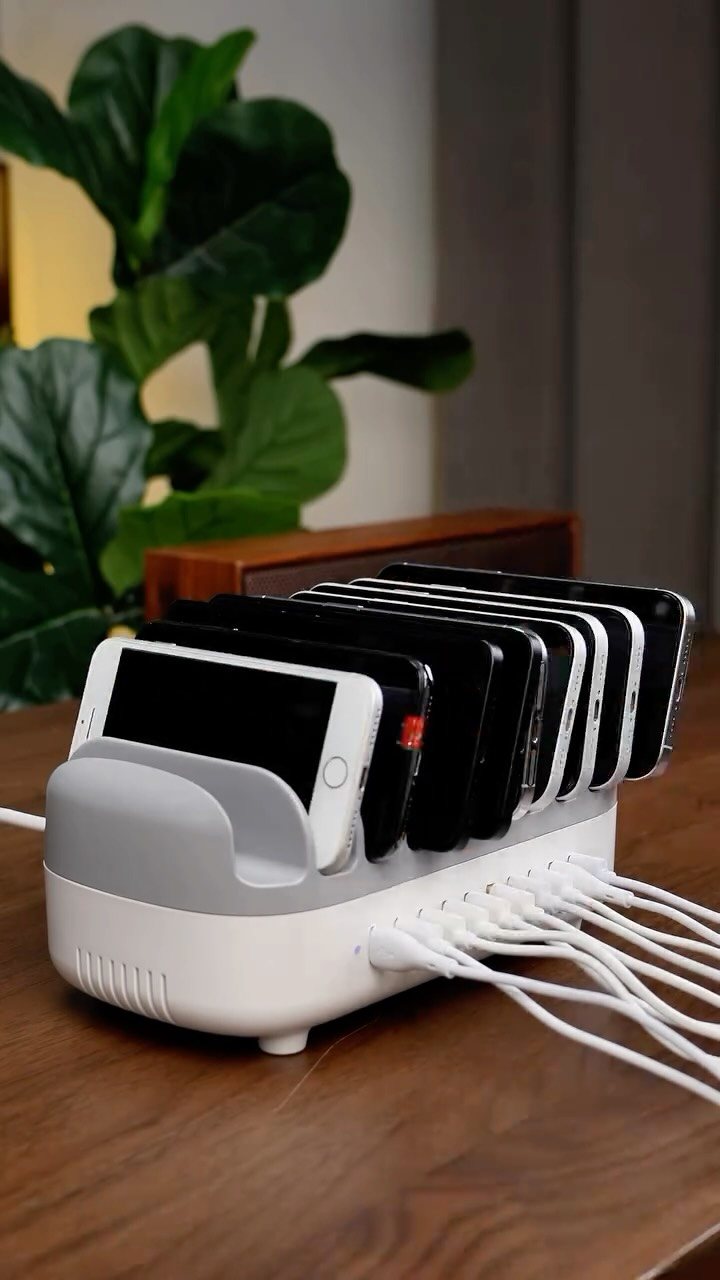
Phones, earbuds, a backup battery: the cords multiply until they’re a fourth desk occupant. A dedicated charging station corrals them in one spot, usually off the main work surface.
I use a vertical stand with slots for every device; cables thread through the back and stay put with small adhesive clips.
Choose a station with enough ports for what you actually own, plus one spare, because you will acquire something else. If your desk is shallow, mount a small shelf above it or use the rolling cart’s top tier.
A single multi-port USB hub beats a cluster of wall warts and the power strip they demand.
Importance of Desk Organization
An organized desk saves the time you spend hunting for a stapler or guessing which stack holds the invoice you need.
That search time adds up, and the small stress of not finding things wears on focus even when you do not notice it.
The bigger gain is mental: a clear surface signals that work has a defined start and stop. Remote or in-office, the effect is the same.
What matters is that the setup matches how you actually work, not an ideal version of it.
Your desk should be organized by what you use most every day,” says Carly Cicero, principal at Cicero Design Group in Youngstown, Ohio. “If you use an item daily, it should be within reach from your desk chair.
Regular Maintenance
The last five to ten minutes of the day are the cheapest insurance against morning chaos. Return pens to their tray, stack loose papers into the active tray, and shut the laptop.
Walking up to a reset desk the next morning removes the friction of digging out before real work can start.
The system that fit January’s projects may not match July’s. A quick sort while the phone is charging on Friday afternoon keeps the match close enough.
Use of Technology
A digital-first approach to documents cuts the paper that still arrives. Scan what you need to keep, store it in cloud folders that mirror your physical names, and search by keyword instead of digging through files.
The space saved is obvious; the bigger win is finding the exact document in seconds.
That paper desk calendar can live on the computer’s calendar app instead. Each physical item you transition frees surface area for actual work.
Frequently Asked Questions
What is the best way to organize your desk?
Organize by how often you touch things: daily-use items stay within arm’s reach from your chair, and everything else hides in drawers, trays, or vertical storage.
Aim for a surface deep enough that your forearms, a notebook, and your keyboard all sit flat at once; that extra room matters the moment you need to sketch or spread out papers.
What are some minimalist desk organization ideas?
Limit your desktop to three things: the screen, input tools, and one tray for today’s active work.
A thin stand under the laptop opens a pocket of space beneath for a shallow drawer or a row of slim boxes; run a cable tray along the back rail and the tangle disappears from sight.
One pen in daily use earns a spot right beside the keyboard; the rest of the set waits in a cup inside the drawer.
What are the latest trends in desk organizers?
Multifunctional pieces that do several jobs in one footprint are replacing single-purpose units.
I am seeing more organizers that stack jobs: risers with drawers built into the legs, pegboards sized for both a pair of scissors and a small potted plant, and drawer trays that lock together in two tiers so the lower dividers stay usable.
Eco-friendly materials and customizable systems show up more, but the core idea is buying less hardware by making each piece work harder.